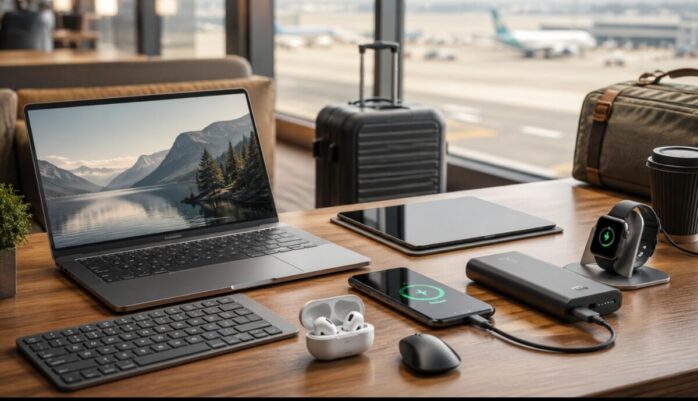
Rechargeable tech is easier to standardize in 2026 than it was even a few years ago. USB-C now covers more phones, tablets, accessories and laptops, faster wireless charging is becoming more common, and compact power banks can keep a workday moving away from a wall outlet. The best setup is not the one with the most gadgets. It is the one that reduces cables, shares chargers across devices and matches battery capacity to how you actually travel or work. A practical kit can now cover commuting, flights, hotel rooms and remote meetings without turning a backpack into a drawer full of adapters.
Start with USB-C, then fill the gaps with rechargeable batteries
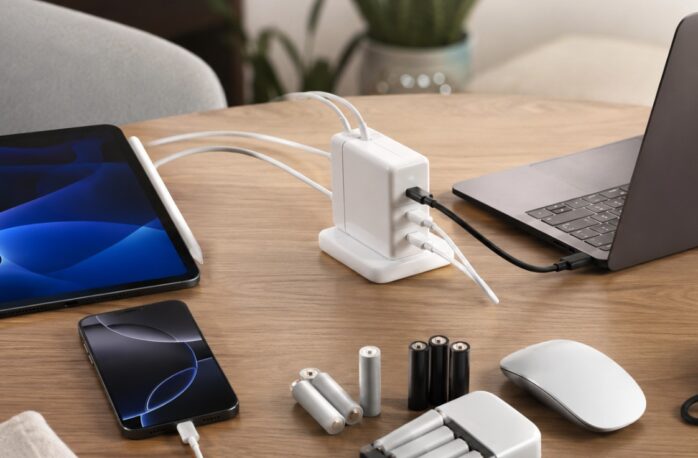
A compact USB-C Power Delivery charger should be the center of a 2026 charging kit. The USB Power Delivery specification supports power levels up to 240W with compatible hardware, while European Union common-charger rules have applied to laptops since April 28, 2026. That makes one well-chosen charger more useful across phones, tablets and many newer computers. Devices that still rely on replaceable AA or AAA cells are the exception. For wireless mice, compact lights, recorders and other small gear, a nimh rechargeable battery setup can reduce dependence on disposable cells.
- Choose USB-C PD for the main wall charger.
- Check the laptop wattage before relying on one charger for everything.
- Keep rechargeable AA or AAA cells for devices that still require them.
Choose a power bank by watt-hours, not just the marketing number
For travel, a power bank is still one of the most useful backups because it works without finding an outlet. Capacity should be compared in watt-hours when flying, since aviation limits are based on Wh rather than the larger mAh figure printed on many packages.
Under current FAA airline battery guidance, spare lithium batteries and power banks must stay in carry-on baggage. Batteries up to 100Wh are generally allowed on passenger aircraft, capacities from 101Wh through 160Wh require airline approval, and batteries above 160Wh are not permitted for passengers.
| Use | Practical range |
| Phone and earbuds | 20–40Wh |
| Tablet or long travel day | 40–70Wh |
| Laptop backup | 60–100Wh |
Before departure, also check the airline’s own rules because carriers can impose additional restrictions on where power banks are stored or whether they can be used during a flight.
Qi2 25W makes wireless charging more useful away from home
Wireless charging is no longer only a slow bedside convenience. The Wireless Power Consortium launched Qi2 25W in July 2025, increasing certified Qi2 charging power from 15W to 25W while keeping the magnetic alignment that helps a phone sit correctly on the charger. For travelers, that makes a small magnetic charging pad or stand more practical at a desk, hotel or coworking space. It can also reduce cable swapping when a phone is used alongside rechargeable earbuds, a keyboard and a mouse during virtual group sessions.
Qi2 certification matters because the standard includes interoperability and safety testing, not just a magnetic ring or a claimed charging speed.
For the lightest setup, wired USB-C should still handle the highest-power devices, while Qi2 can cover the phone when convenience matters more than maximum charging efficiency.
Build the kit around shared charging, replaceable parts and travel safety
The best rechargeable setup for daily use is usually a small ecosystem rather than a collection of unrelated gadgets. A laptop, phone, earbuds, light and power bank become easier to manage when most of them share USB-C and when the charger has enough output for the largest device. Replaceable rechargeable cells also make sense in accessories that do not need a sealed lithium pack. Travelers should label chargers, inspect cables for damage and avoid packing swollen, damaged or recalled batteries. It is also worth keeping a record of a phone’s IMEI number and recovery options before a trip.
- Prefer one charging standard across most devices.
- Carry one short spare cable rather than several duplicate chargers.
- Replace damaged batteries or cables instead of continuing to use them.
- Keep power banks accessible in carry-on luggage.
Frequently asked questions
1. Can a USB-C cable slow down charging?
Yes. USB-C describes the connector, not the maximum power it can carry. A charger may support high-wattage USB PD, but the cable also needs the correct rating before the device can receive that output.
2. Should rechargeable devices stay plugged in overnight?
Modern devices include charging controls, but excessive heat is still undesirable. Use compatible charging equipment, keep vents and chargers uncovered, and stop using a device or battery that becomes unusually hot, swollen or damaged.
3. How should old rechargeable batteries be disposed of?
Rechargeable batteries should not be placed in ordinary household recycling bins. The U.S. Environmental Protection Agency recommends taking rechargeable lithium-ion, NiMH and similar batteries to suitable battery recyclers or household hazardous-waste collection programs.
4. Is fast charging always the best option?
No. Fast charging is useful when time is limited, but a lower-power charger can be perfectly adequate overnight or during a long desk session. Match charging speed and equipment to the device and the situation.
Rechargeable gear is best when it simplifies the bag
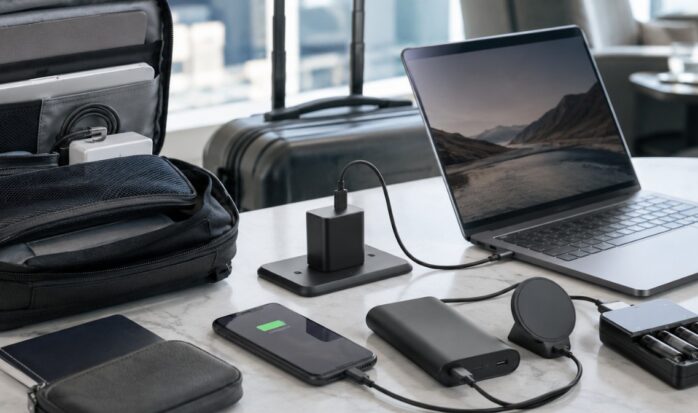
In 2026, the strongest travel and remote-work setup is built around compatibility rather than novelty. USB-C PD can handle much of the wired charging, Qi2 25W makes magnetic wireless charging more capable, and a correctly sized power bank covers the hours when outlets disappear.
Rechargeable AA and AAA cells still have a role in accessories that use replaceable batteries. The result should be fewer chargers, fewer disposable cells and less time checking which cable belongs to which device.
Before flying, confirm the watt-hour rating of every power bank and review the airline’s current battery policy.